

Trusted by industry leaders
The AI platform Build for MSP
One simple Platfrom to run your AI Driven Support Desk
Blindly trusted by
Built for MSP service desks
Every ticket labeled, routed, Ready to resolve
Automate the service steps that waste time: ticket labeling, dispatching, and resolution planning, so the engineer only has to approve before Ekkie executes.
Built for MSP service desks
Every ticket labeled, routed, Ready to resolve
Automate the service steps that waste time: ticket labeling, dispatching, and resolution planning, so the engineer only has to approve before Ekkie executes.
Built for MSP service desks
Every ticket labeled, routed, Ready to resolve
Automate the service steps that waste time: ticket labeling, dispatching, and resolution planning, so the engineer only has to approve before Ekkie executes.
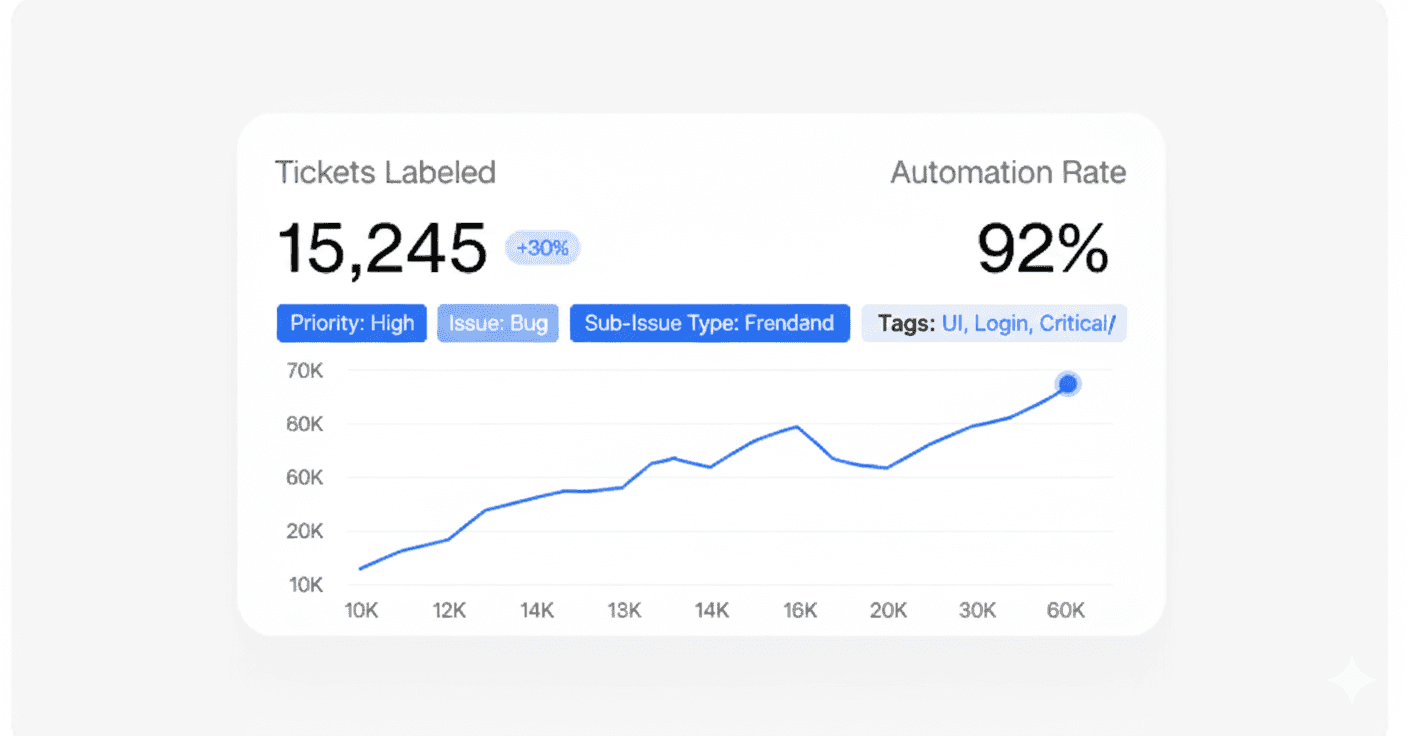
AI Ticket Labeling
Automatically assign priority, issue type, sub-issue type, and the tags your team relies on—so tickets arrive consistent and dispatchable.
AI Ticket Labeling
Automatically assign priority, issue type, sub-issue type, and the tags your team relies on—so tickets arrive consistent and dispatchable.
AI Ticket Labeling
Automatically assign priority, issue type, sub-issue type, and the tags your team relies on—so tickets arrive consistent and dispatchable.
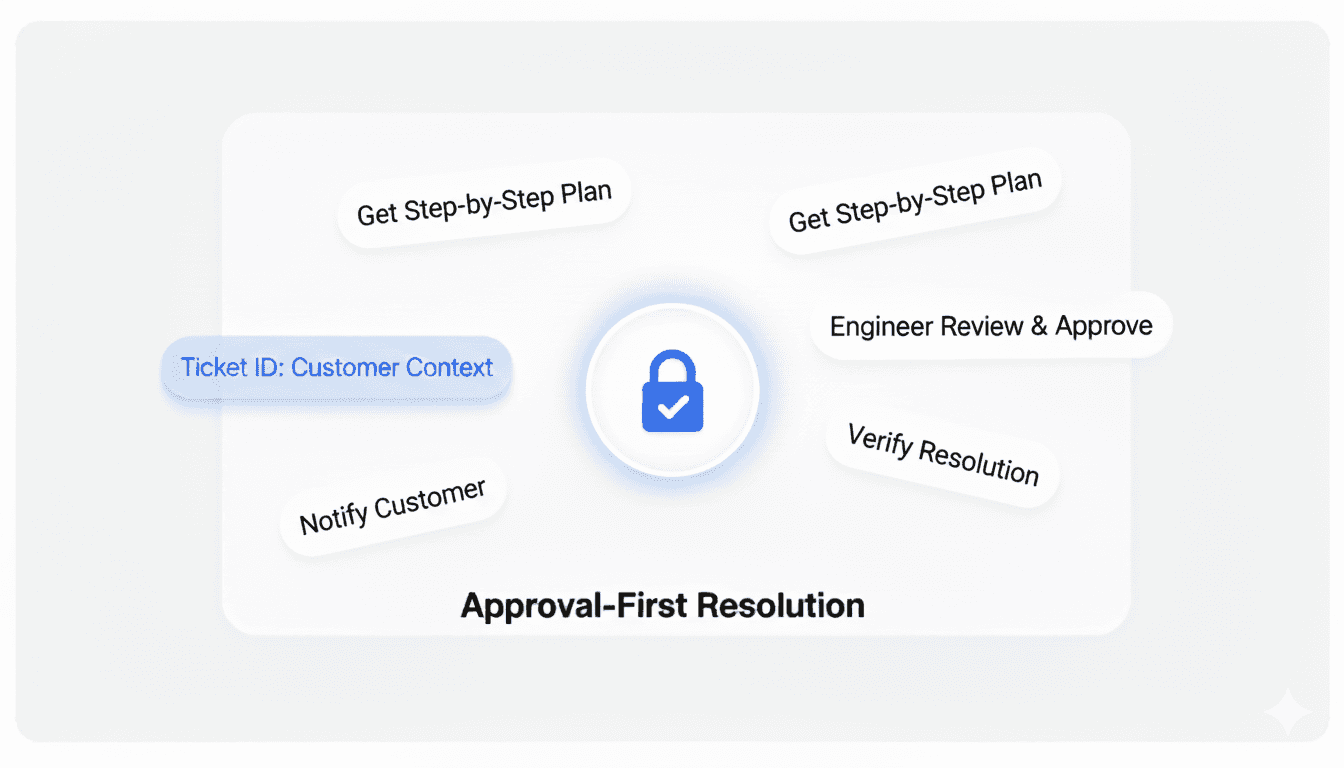
Approval-First Resolution in Ekkie Chat
Pull a ticket by ID, lock to the correct customer context, and get a step-by-step plan. Ekkie waits for engineer approval before taking action.
Approval-First Resolution in Ekkie Chat
Pull a ticket by ID, lock to the correct customer context, and get a step-by-step plan. Ekkie waits for engineer approval before taking action.
Approval-First Resolution in Ekkie Chat
Actionable suggestions from your data, without digging into spreadsheets .
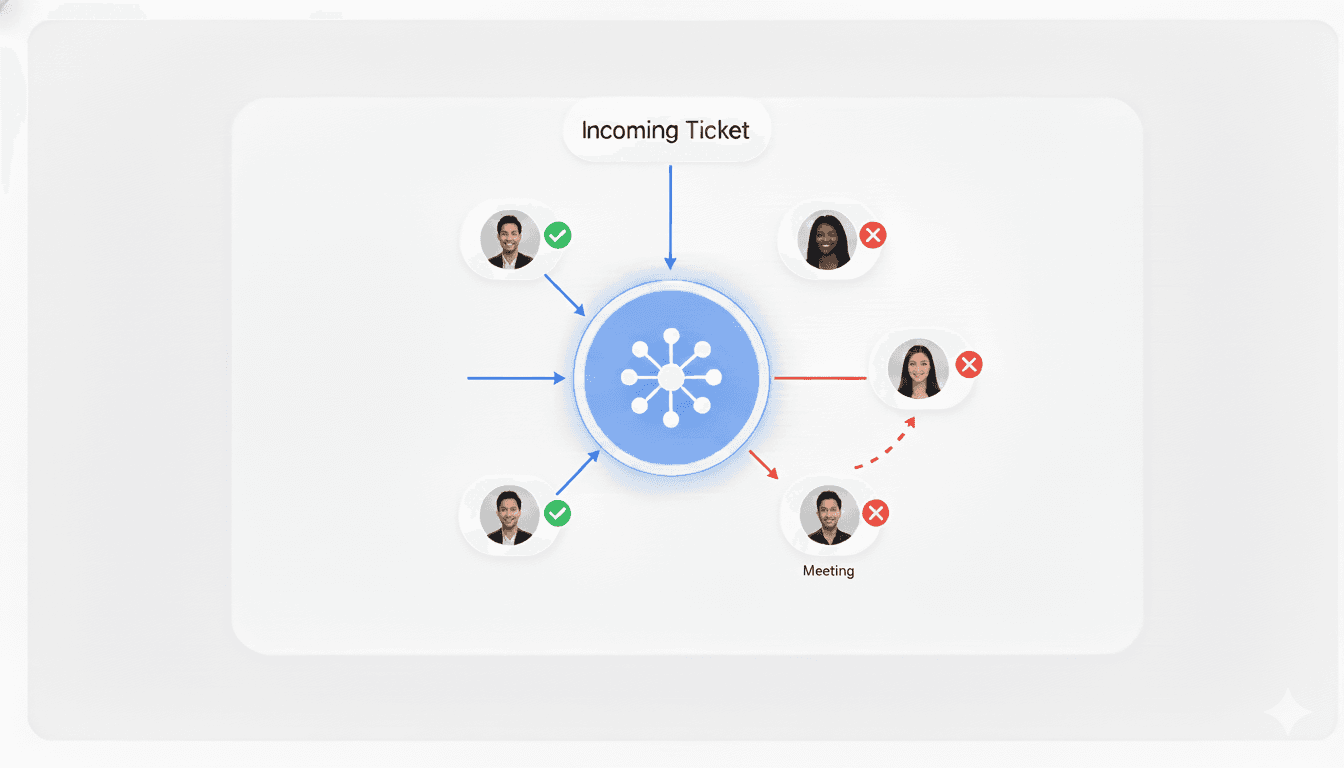
Availability-Based Dispatching
Route labeled tickets to engineers who are available. If someone becomes unavailable, tickets are re-dispatched automatically to keep work moving.
Availability-Based Dispatching
Route labeled tickets to engineers who are available. If someone becomes unavailable, tickets are re-dispatched automatically to keep work moving.
Availability-Based Dispatching
Route labeled tickets to engineers who are available. If someone becomes unavailable, tickets are re-dispatched automatically to keep work moving.
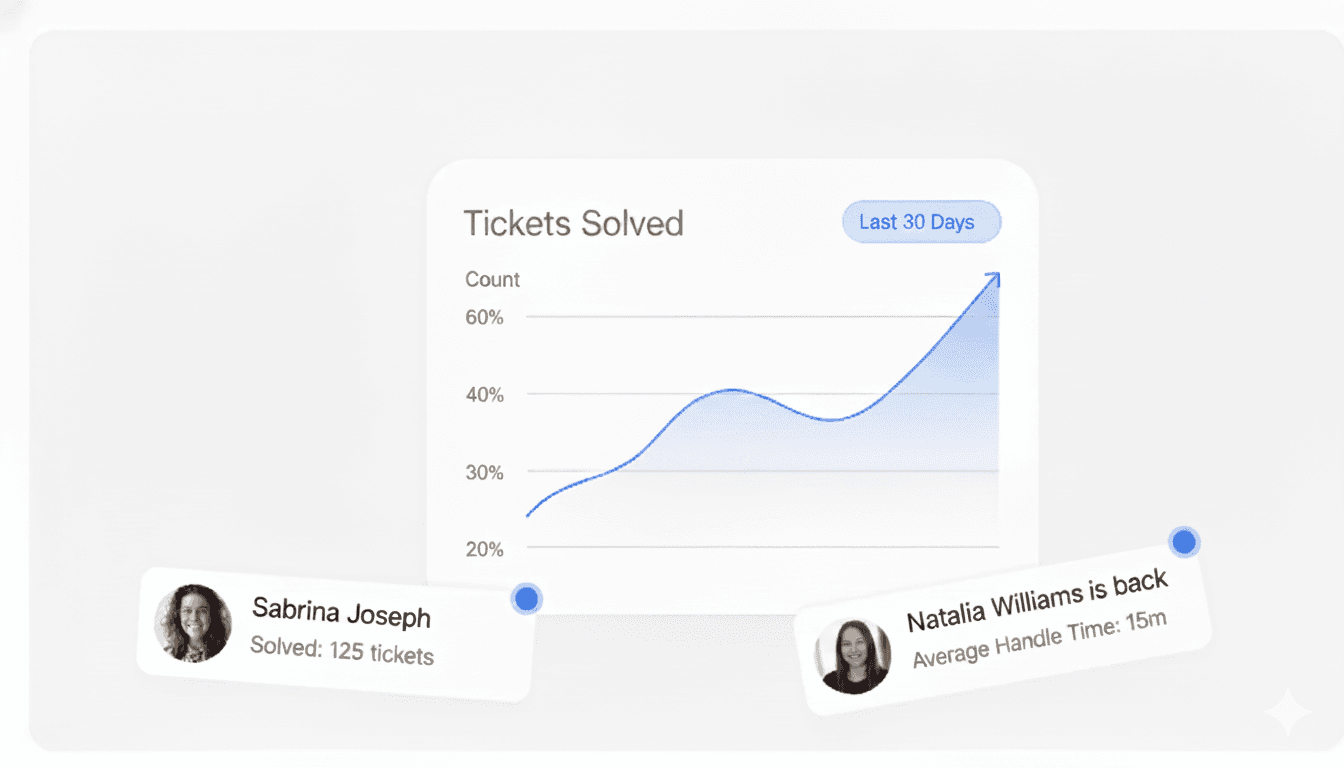
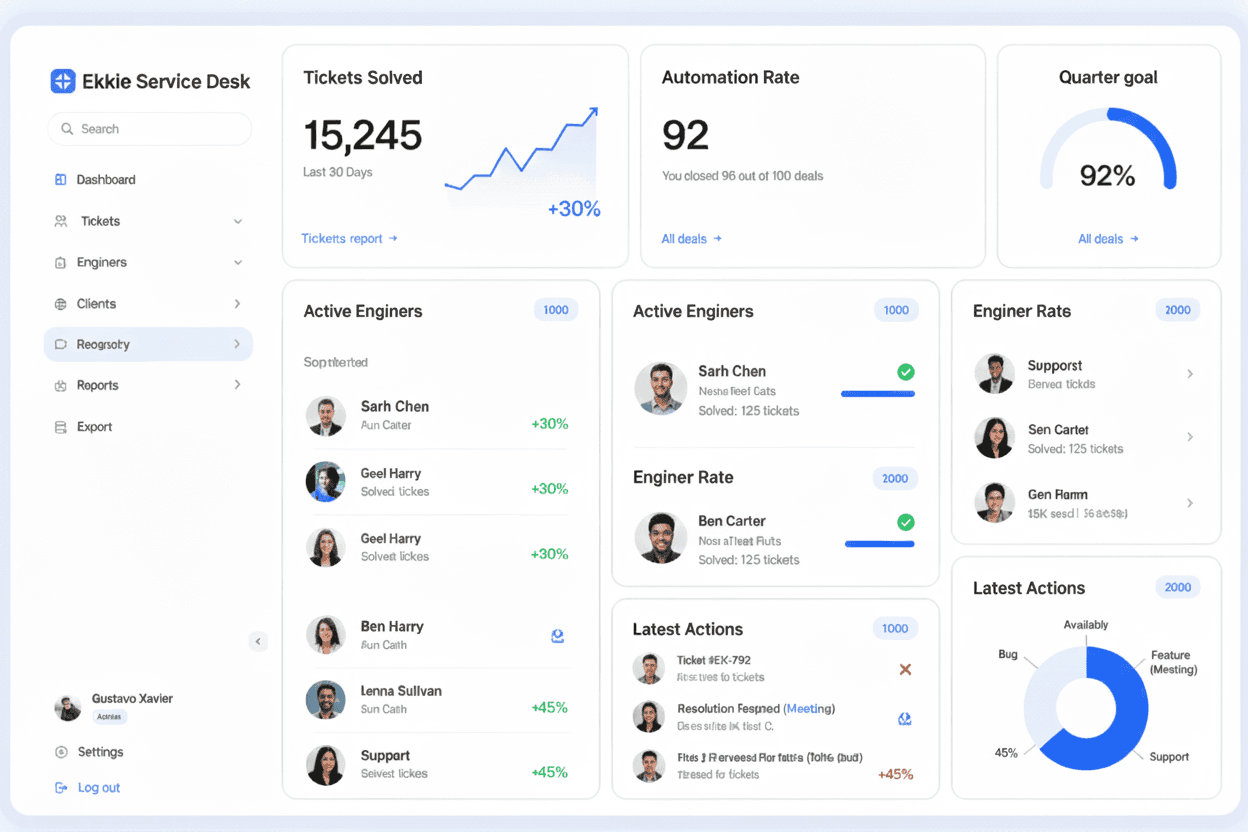
Service Desk Dashboard & Insights
Track what was solved, by who, and where time is going—so you can improve triage, dispatch rules, and consistency across clients.
Service Desk Dashboard & Insights
Track what was solved, by who, and where time is going—so you can improve triage, dispatch rules, and consistency across clients.
Service Desk Dashboard & Insights
Track what was solved, by who, and where time is going—so you can improve triage, dispatch rules, and consistency across clients.
Benefits
Benefits that actually help your service desk
Cut triage time, keep dispatch moving, and resolve tickets faster without changing your PSA/ITSM or workflow.
Benefits
Benefits that actually help your service desk
Cut triage time, keep dispatch moving, and resolve tickets faster without changing your PSA/ITSM or workflow.
Benefits
Benefits that actually help your service desk
Cut triage time, keep dispatch moving, and resolve tickets faster without changing your PSA/ITSM or workflow.
Cleaner tickets from minute one
Every ticket comes in with the right priority, issue type, and labels—so your team stops reclassifying and starts working.
Cleaner tickets from minute one
Every ticket comes in with the right priority, issue type, and labels—so your team stops reclassifying and starts working.
Real-Time Tracking
Every ticket comes in with the right priority, issue type, and labels—so your team stops reclassifying and starts working.
Faster dispatch, fewer bottlenecks
Tickets get routed to engineers who are available, and automatically re-dispatched when availability changes.
Faster dispatch, fewer bottlenecks
Tickets get routed to engineers who are available, and automatically re-dispatched when availability changes.
Faster dispatch, fewer bottlenecks
Tickets get routed to engineers who are available, and automatically re-dispatched when availability changes.
Faster resolutions on tickets
Ekkie generates the resolution plan with the right customer context, so engineers spend less time searching and more time solving.
Faster resolutions on tickets
Ekkie generates the resolution plan with the right customer context, so engineers spend less time searching and more time solving.
Faster resolutions on tickets
Ekkie generates the resolution plan with the right customer context, so engineers spend less time searching and more time solving.
Delegated permissions (no elevated access)
Ekkie works using the engineer’s delegated permissions—so it can only see and do what that engineer is allowed to do. No shared admin creds, no silent elevation.
Delegated permissions (no elevated access)
Ekkie works using the engineer’s delegated permissions—so it can only see and do what that engineer is allowed to do. No shared admin creds, no silent elevation.
Delegated permissions (no elevated access)
Keep your analytics safe with advanced security and strong encryption.
Engineer stays in control (approval-first)
Ekkie proposes actions. Your engineer approves. Nothing executes without a human “yes.”
Engineer stays in control (approval-first)
Ekkie proposes actions. Your engineer approves. Nothing executes without a human “yes.”
Engineer stays in control (approval-first)
Ekkie proposes actions. Your engineer approves. Nothing executes without a human “yes.”
Multi-client safe by design
Ekkie locks to the correct customer context and supports MSP multi-tenancy so work stays separated and reliable.
Multi-client safe by design
Ekkie locks to the correct customer context and supports MSP multi-tenancy so work stays separated and reliable.
Multi-client safe by design
Ekkie locks to the correct customer context and supports MSP multi-tenancy so work stays separated and reliable.
Integrations
Integrations
Integrations
Seamless Integrations
Seamless Integrations
Connect Ekkie to your PSA/ITSM and Microsoft environment so tickets can be labeled, dispatched, and resolved with the right context—without changing how your team works.
Connect Ekkie to your PSA/ITSM and Microsoft environment so tickets can be labeled, dispatched, and resolved with the right context—without changing how your team works.
Microsoft
AutoTask
TopDesk
Microsoft
AutoTask
TopDesk
How It Works
Get tickets handled in 3 simple steps
Connect Ekkie to your environments. Tickets get labeled and dispatched automatically. Engineers approve the plan—then Ekkie executes with their delegated permissions.
How It Works
Get tickets handled in 3 simple steps
Connect Ekkie to your environments. Tickets get labeled and dispatched automatically. Engineers approve the plan—then Ekkie executes with their delegated permissions.
How It Works
Get tickets handled in 3 simple steps
Connect Ekkie to your environments. Tickets get labeled and dispatched automatically. Engineers approve the plan—then Ekkie executes with their delegated permissions.
Connect your enviroments
Link your environments so Ekkie can label incoming tickets and prepare the right actions without changing your workflow.
Connect your enviroments
Link your environments so Ekkie can label incoming tickets and prepare the right actions without changing your workflow.
Connect your enviroments
Link your environments so Ekkie can label incoming tickets and prepare the right actions without changing your workflow.
Label & Dispatch
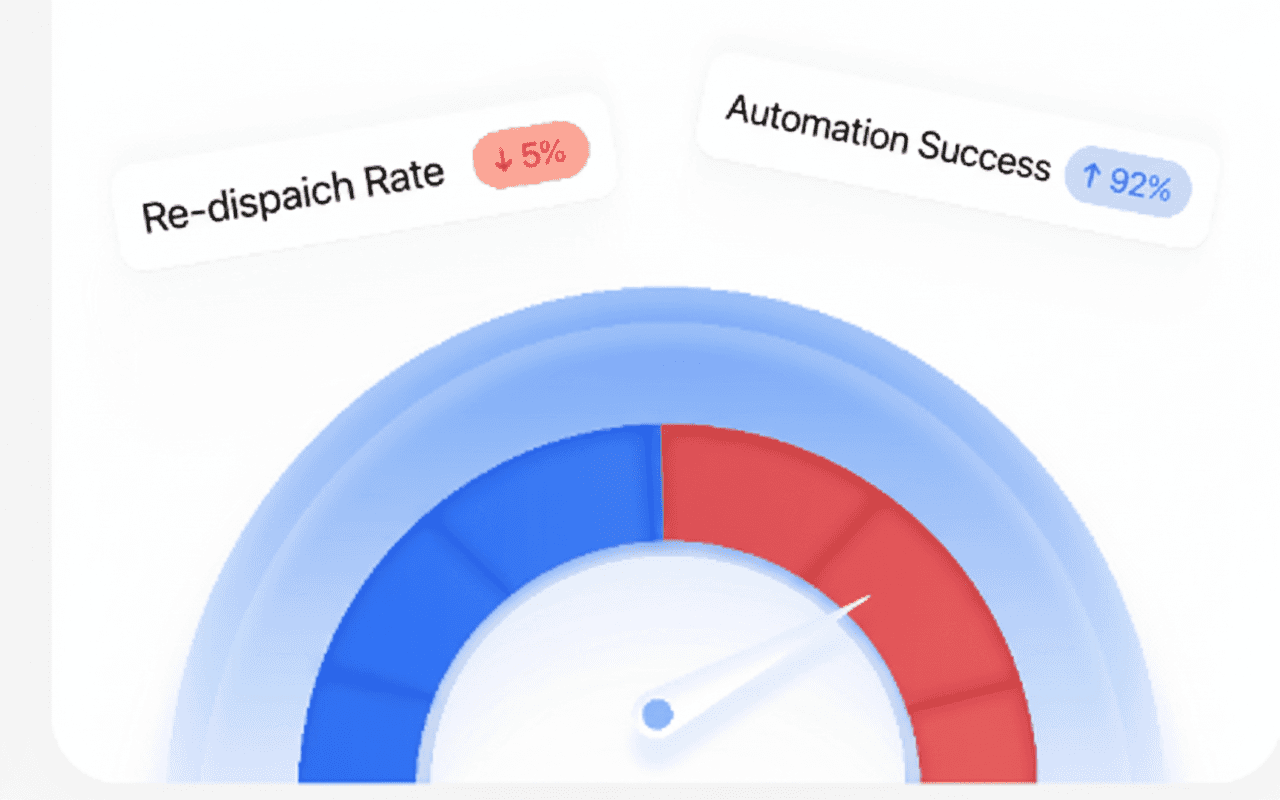
Ekkie assigns all your required labels, then routes tickets to available engineers and re-dispatches when availability changes.
Label & Dispatch
Ekkie assigns all your required labels, then routes tickets to available engineers and re-dispatches when availability changes.
Label & Dispatch
Ekkie assigns all your required labels, then routes tickets to available engineers and re-dispatches when availability changes.
Resolve in chat
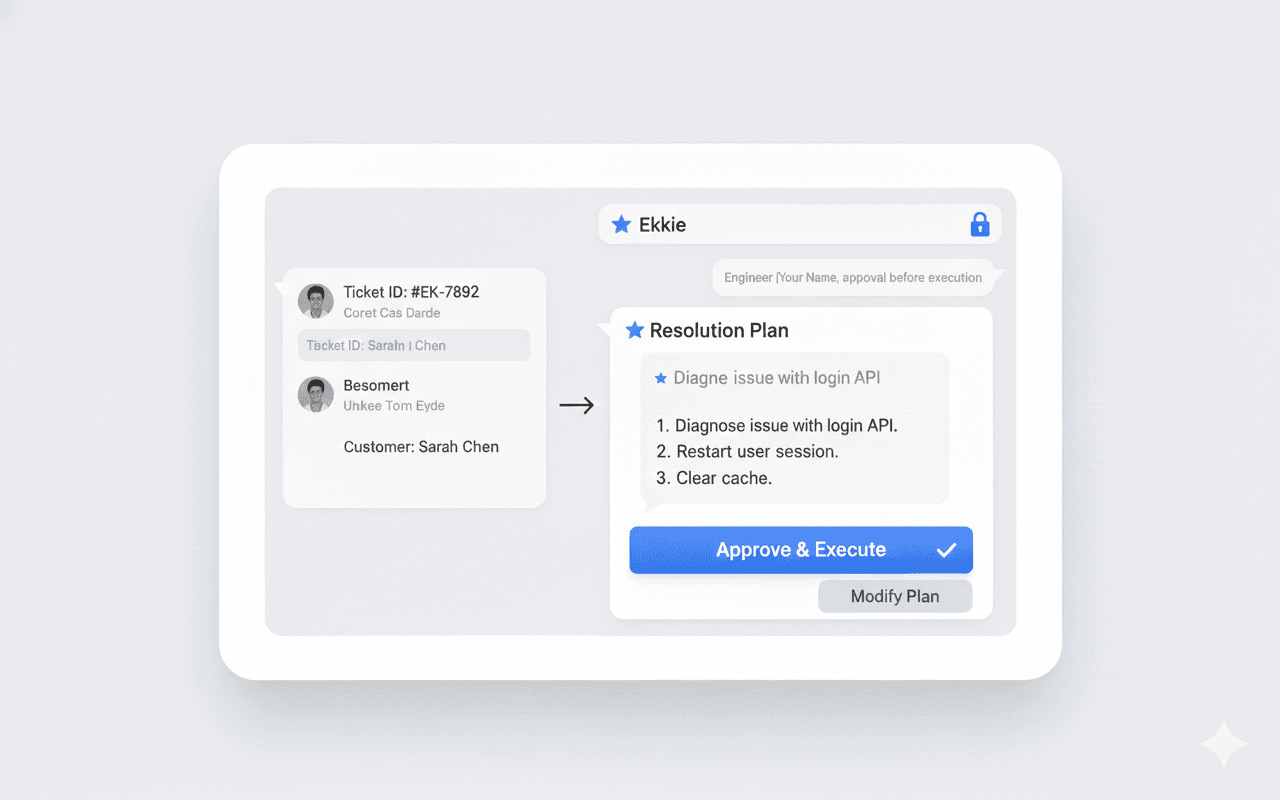
Engineers pull a ticket by ID in Ekkie Chat. Ekkie locks to the correct customer, builds the resolution plan, and only executes after approval.
Resolve in chat
Engineers pull a ticket by ID in Ekkie Chat. Ekkie locks to the correct customer, builds the resolution plan, and only executes after approval.
Resolve in chat
Engineers pull a ticket by ID in Ekkie Chat. Ekkie locks to the correct customer, builds the resolution plan, and only executes after approval.
Why Ekkie AI
A smarter way to run your service desk
Most “AI add-ons” stop at summaries. Ekkie labels and routes tickets automatically—and helps engineers execute approved Microsoft actions with delegated permissions.
Why Ekkie AI
A smarter way to run your service desk
Most “AI add-ons” stop at summaries. Ekkie labels and routes tickets automatically—and helps engineers execute approved Microsoft actions with delegated permissions.
Why Ekkie AI
A smarter way to run your service desk
Most “AI add-ons” stop at summaries. Ekkie labels and routes tickets automatically—and helps engineers execute approved Microsoft actions with delegated permissions.
Other Tools
Tickets still arrive mis-labeled (priority/type/sub-type)
Dispatching stays manual and breaks when availability changes
AI gives answers, but doesn’t follow your process
Requires copy/paste and constant context switching
Risky models that need broad access or unclear permissions

Ekkie AI
Auto-labeling at intake: priority, type, sub-type, and your required tags
Availability-based dispatch with automatic re-dispatch
Ekkie Chat pulls tickets by ID and locks to the right customer context
AI suggests your next move
Approval-first execution using the engineer’s delegated permissions
Other Tools
Tickets still arrive mis-labeled (priority/type/sub-type)
Dispatching stays manual and breaks when availability changes
AI gives answers, but doesn’t follow your process
Requires copy/paste and constant context switching
Risky models that need broad access or unclear permissions
Ekkie AI
Auto-labeling at intake: priority, type, sub-type, and your required tags
Availability-based dispatch with automatic re-dispatch
Ekkie Chat pulls tickets by ID and locks to the right customer context
AI suggests your next move
Approval-first execution using the engineer’s delegated permissions
Other Tools
Tickets still arrive mis-labeled (priority/type/sub-type)
Dispatching stays manual and breaks when availability changes
AI gives answers, but doesn’t follow your process
Requires copy/paste and constant context switching
Risky models that need broad access or unclear permissions
Ekkie AI
Auto-labeling at intake: priority, type, sub-type, and your required tags
Availability-based dispatch with automatic re-dispatch
Ekkie Chat pulls tickets by ID and locks to the right customer context
AI suggests your next move
Approval-first execution using the engineer’s delegated permissions
FAQ's
Common questions with Clear answers
Here are answers to the most common things people ask before getting started.
FAQ's
Common questions with Clear answers
Here are answers to the most common things people ask before getting started.
FAQ's
Common questions with Clear answers
Here are answers to the most common things people ask before getting started.